Table of Contents
Your home network powers almost everything you do online. From streaming movies and gaming to video calls and smart home devices, a strong network keeps your digital life running smoothly. But many people make simple setup mistakes that lead to slow internet, weak Wi-Fi signals, security problems, and constant frustration.
The good news is that most home network problems are preventable. You do not need to be a networking expert to create a fast, stable, and secure setup. By understanding the biggest mistakes people make, you can avoid common issues and build a network that works better for your home.
In this guide, you will learn the top home networking mistakes, why they happen, and how you can fix them before they become bigger problems.
Quick Summary Table 📋
| Mistake | Why It Happens | Main Problem It Causes | Simple Fix |
|---|---|---|---|
| Putting the router in the wrong place | Convenience | Weak Wi-Fi coverage | Place router centrally |
| Using default passwords | Easier setup | Security risks | Create strong passwords |
| Ignoring firmware updates | Forgetfulness | Bugs and vulnerabilities | Update regularly |
| Buying the cheapest router | Saving money | Poor performance | Choose based on your needs |
| Overloading the network | Too many devices | Slow speeds | Manage connected devices |
| Using outdated Wi-Fi standards | Old equipment | Slower connections | Upgrade hardware |
| Not securing smart devices | Lack of awareness | Easy hacking targets | Secure IoT devices |
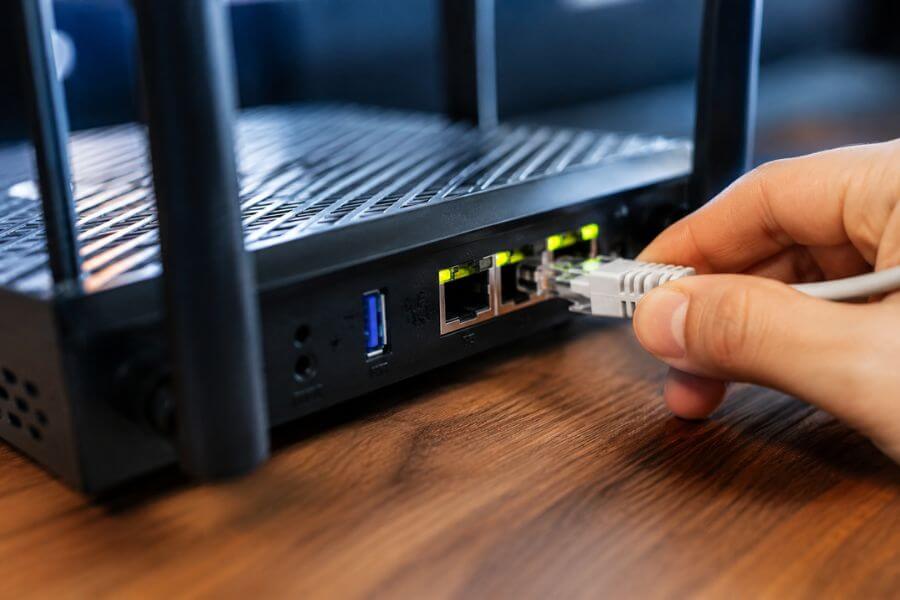
| Ignoring wired connections | Relying only on Wi-Fi | Unstable performance | Use Ethernet where possible |
| Using one network for everything | Simplicity | Security and congestion issues | Separate guest and IoT networks |
| Never restarting equipment | Forgetting maintenance | Random connection problems | Restart devices regularly |
How We Ranked These Mistakes ⚙️
We ranked these home networking mistakes based on several important factors:
- How often people make the mistake
- How badly it affects internet performance
- Security risks involved
- Difficulty of fixing the issue
- Long-term impact on your home network
- How much money or time the mistake can cost you
- Whether the mistake affects all devices in the home
1. Placing Your Router In The Wrong Location 📡
One of the biggest mistakes you can make is placing your router in a poor location. Many people hide their router behind furniture, inside cabinets, or in the corner of the house because they want it out of sight. Unfortunately, this can seriously weaken your Wi-Fi signal.
Your router works best when it is placed in a central, open area. Walls, floors, metal objects, and large appliances can block or weaken wireless signals. If your router is hidden behind a TV or inside a closet, your internet speed may drop dramatically in other rooms.
You should also avoid placing the router near:
- Microwaves
- Cordless phones
- Thick concrete walls
- Metal shelves
- Fish tanks
A better router location can instantly improve your home network without spending extra money. Try placing the router on a shelf or elevated surface near the center of your home for stronger and more balanced coverage.
2. Keeping The Default Router Password 🔒
Many people leave their router username and password unchanged after setup. This is a major security risk because default login details are widely known online.
If someone gains access to your router, they can:
- Steal your data
- Slow down your network
- Spy on internet activity
- Change network settings
- Infect devices with malware
You should always create:
- A strong Wi-Fi password
- A unique router admin password
- A secure network name
A good password should include:
- Uppercase letters
- Lowercase letters
- Numbers
- Symbols
Avoid using easy information like birthdays, names, or simple words.
Changing your default login details only takes a few minutes, but it can greatly improve your network security.
3. Ignoring Router Firmware Updates 🔄
Router firmware updates are often ignored because people do not realize how important they are. Your router software controls security, performance, and stability.
When you skip updates, you may experience:
- Security vulnerabilities
- Random disconnects
- Slow performance
- Compatibility issues
- Poor device support
Manufacturers release updates to fix bugs and improve protection against new cyber threats. Some modern routers can update automatically, but many still require manual updates.
You should check for firmware updates every few months. Keeping your router updated is one of the easiest ways to improve network reliability and security.
4. Buying The Cheapest Router Available 💸
A low-cost router may save money upfront, but it can create bigger problems later. Many cheap routers struggle with multiple devices, high-speed internet plans, and modern streaming needs.
If your household uses:
- Smart TVs
- Gaming consoles
- Video calls
- Smart home devices
- Multiple phones and laptops
then a weak router may not handle the workload properly.
You do not necessarily need the most expensive router, but you should choose one based on:
- Home size
- Number of devices
- Internet speed
- Gaming or streaming needs
- Wi-Fi standard support
Investing in a reliable router often improves your internet experience more than upgrading your internet plan.
5. Connecting Too Many Devices Without Management 📱
Modern homes can have dozens of connected devices at the same time. Phones, tablets, TVs, smart speakers, cameras, and appliances all compete for bandwidth.
When too many devices are active, you may notice:
- Slow downloads
- Lag during gaming
- Buffering videos
- Weak video call quality
- Delayed smart device responses
Many people never check what devices are connected to their network. Some forgotten devices may still use bandwidth in the background.
You can improve performance by:
- Disconnecting unused devices
- Scheduling updates overnight
- Prioritizing important devices
- Using Quality of Service settings
- Upgrading to dual-band or tri-band routers
Managing your connected devices helps keep your network fast and stable.
6. Using Outdated Wi-Fi Technology 📶
Old networking equipment can hold back your entire internet experience. Many people still use routers that only support older Wi-Fi standards, even after upgrading their internet service.
Outdated routers often struggle with:
- Faster internet plans
- Multiple devices
- Large homes
- 4K streaming
- Online gaming
Modern standards like Wi-Fi 6 offer:
- Better speed
- Lower latency
- Improved efficiency
- Stronger device handling
- Better battery performance for mobile devices
Even if your internet plan is fast, older hardware can prevent you from reaching those speeds. Upgrading to modern networking equipment can make a major difference in daily performance.
7. Forgetting To Secure Smart Home Devices 🧠
Smart home devices are convenient, but they can also become security weak points if left unprotected.
Devices like:
- Smart cameras
- Smart locks
- Smart thermostats
- Smart speakers
- Video doorbells
often have weak default settings.
Hackers sometimes target these devices because many people never update them or change their passwords. A single insecure smart device can potentially expose your entire network.
To improve security:
- Change default passwords
- Enable automatic updates
- Use strong Wi-Fi encryption
- Put smart devices on a separate network
- Disable unused features
Smart devices should receive the same security attention as computers and phones.
8. Relying Only On Wi-Fi For Everything 🖥️
Wi-Fi is convenient, but it is not always the best choice for every device. Many people connect everything wirelessly, even devices that rarely move.
Certain devices work much better with Ethernet cables, including:
- Gaming PCs
- Smart TVs
- Desktop computers
- Network storage devices
- Game consoles
Wired connections usually provide:
- Faster speeds
- Lower latency
- More stable connections
- Less interference
Using Ethernet for high-demand devices also frees up wireless bandwidth for phones, tablets, and smart devices.
A mixed setup using both wired and wireless connections often delivers the best overall performance.
9. Using One Network For Everything 🌐
Many people keep all devices on a single network. While this seems easier, it can create both security and performance issues.
For example, visitors may connect to the same network as:
- Personal computers
- Work devices
- Smart home systems
- Security cameras
This increases risk if a guest device becomes infected with malware.
A better approach is creating separate networks such as:
- Main network
- Guest network
- Smart device network
This setup helps improve both security and traffic management. Many modern routers make guest network setup very simple.
Separating devices can also reduce congestion and improve overall network stability.
10. Never Restarting Network Equipment 🔌
Routers and modems can develop performance problems over time if they run continuously without restarting.
Common symptoms include:
- Slower internet speeds
- Random disconnects
- Devices failing to connect
- High latency
- Temporary freezing
Restarting networking equipment clears temporary memory issues and refreshes connections.
You should:
- Restart your router every few weeks
- Restart after major updates
- Reboot when performance suddenly drops
Some routers even allow scheduled automatic restarts for easier maintenance.
This simple habit can solve many common networking problems quickly.
Conclusion 🎯
Setting up a home network may seem simple at first, but small mistakes can lead to major frustrations later. Poor router placement, weak passwords, outdated equipment, and unmanaged devices are some of the most common problems people face.
The good news is that most of these mistakes are easy to fix once you know what to look for. A few smart adjustments can improve your internet speed, strengthen security, and make your network far more reliable.
You do not need advanced technical knowledge to build a better home network. By avoiding these common mistakes, you can create a setup that handles streaming, gaming, remote work, and smart home devices much more smoothly.
Frequently Asked Questions ❓
How often should you replace your home router?
Most routers should be replaced every 4 to 6 years, depending on performance, security support, and Wi-Fi standards. If your router struggles with modern devices or internet speeds, it may be time for an upgrade.
Is Wi-Fi 6 worth upgrading to for average households?
Yes, especially if your home has many connected devices. Wi-Fi 6 improves speed, efficiency, and performance in busy households with streaming, gaming, and smart home systems.
What is the safest Wi-Fi security option?
WPA3 is currently the safest Wi-Fi security standard for most home users. If WPA3 is unavailable, WPA2 is still much safer than older options like WEP.
Can thick walls affect internet speed?
Yes. Concrete, brick, and metal structures can weaken Wi-Fi signals significantly. Large homes with thick walls may benefit from mesh Wi-Fi systems or additional access points.
Should you turn your router off at night?
You can, but it is not always necessary. Some people turn routers off to save energy or reduce exposure time online. However, frequent restarts are usually more important than shutting it off nightly.